
CONSUMER VEHICLE SOLUTION
Jump start your vehicle from your phone
The Altricity Remote Jump Starter installs directly on your vehicle and allows you to jump start your car from your phone — no cables, no waiting, and no roadside assistance required.
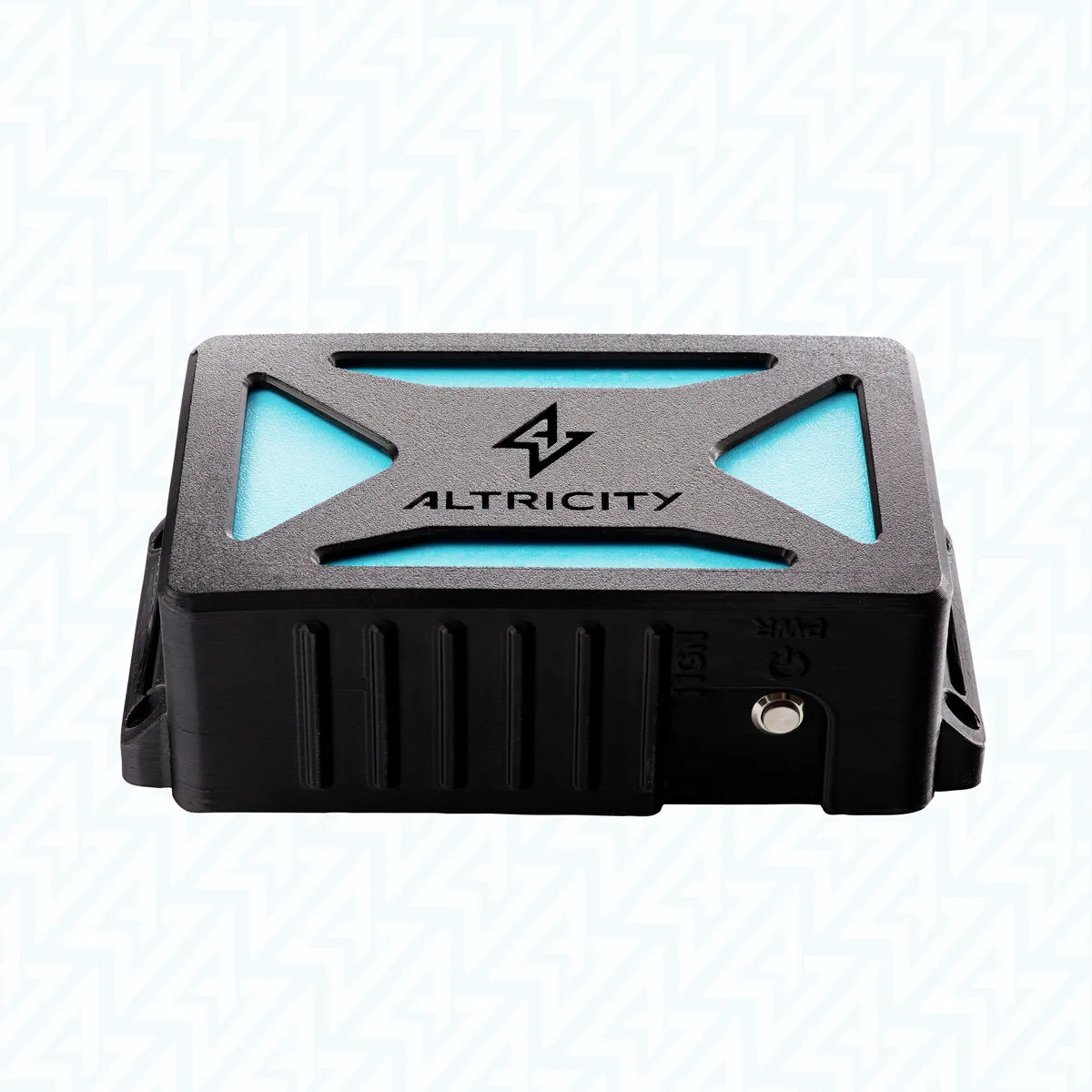


Altricity
Remote Jump Starter
Before you buy
- No subscriptions or recurring fees
- Installation kit and battery leads included - nothing more to buy
- No modifications to vehicle systems
- Fit guaranteed — or return it for full refund and we’ll cover the shipping
- Designed to preserve your factory vehicle warranty
- Starts via the app or the built-in manual button
- Independently safety tested
- Backed by a 1-year warranty
- US-based support team standing by
Choose options
Before you buy
- No subscriptions or recurring fees
- Installation kit and battery leads included - nothing more to buy
- No modifications to vehicle systems
- Fit guaranteed — or return it for full refund and we’ll cover the shipping
- Designed to preserve your factory vehicle warranty
- Starts via the app or the built-in manual button
- Independently safety tested
- Backed by a 1-year warranty
- US-based support team standing by
Before you buy
- No subscriptions or recurring fees
- Installation kit and battery leads included - nothing more to buy
- No modifications to vehicle systems
- Fit guaranteed — or return it for full refund and we’ll cover the shipping
- Designed to preserve your factory vehicle warranty
- Starts via the app or the built-in manual button
- Independently safety tested
- Backed by a 1-year warranty
- US-based support team standing by


FAQs
Altricity is designed to connect to your phone just like any other Bluetooth device. Simply follow the prompts in the app to pair your phone to your Altricity. After first time pairing, the app is designed to reconnect automatically to Altricity whenever the phone is in range (e.g.,10-15 feet).
Installation
Follow these step-by-step instructions to properly install your Altricity Remote Jump Starter.
Installation Steps:
- Mount the Jump Starter – Place the unit near your vehicle’s battery or another suitable location in the engine bay. Ensure it is away from heat sources and moving parts.
- Connect the Leads – Attach the red lead to the positive battery terminal and the black lead to the negative terminal. Make sure connections are secure.
- Manage the Cables – Use zip ties to organize the cables and keep them clear of sharp edges, hot surfaces, or moving parts.
- Power Up and Pair – Turn on the unit, click here to download the Altricity App, and follow the instructions to pair it with your vehicle.
- Verify Installation – Check the battery and vehicle voltage in the app to ensure the system is working correctly.
Ready for installation? Find a qualified Altricity installer or go DIY with our Installation guide.
No special tools are required. Altricity comes with mounting hardware. All that is needed is a wrench for connecting to the battery terminals.
Altricity takes a one-size-fits-many design approach. While many cars locate the battery under the hood next to the engine, others utilize locations elsewhere in the vehicle. Altricity is normally mounted within 18 inches of the battery vehicle. However, it can be mounted up to 6 feet away when heavier gauge wire is used. Your professional installer can determine exactly how and where to install, as well as the size of the cable needed to ensure Altricity works properly when installed.
Altricity is designed to be DIY for those who are experienced with working under the hood. However, to ensure proper operation, Altricity recommends for customers who do not have automotive experience, to select one of over 4,500 installers in our nationwide network of certified installation partners.
Altricity has been meticulously designed to work seamlessly with your car’s electrical system, without disrupting any of its subsystems, particularly for late model cars with more complex electrical systems. The best safety precaution is to have a trained and experienced automotive technician install and test the product.
Mobile App
The Altricity app is available for free on Apple and Android Play stores.
Altricity is designed for use on both Apple iOS and Android.
Altricity is designed to connect to your phone just like any other Bluetooth device. Simply follow the prompts in the app to pair your phone to your Altricity. After first time pairing, the app is designed to reconnect automatically to Altricity whenever the phone is in range (e.g., 10-15 feet).
Shipping
In-stock orders are fulfilled in 5-8 business days.
Altricity is not shipping overseas at this time, but will later this year.
Yes. A tracking number is provided in your order details.
Altricity is a mobile app-enabled car jump starter and battery monitoring system. Bid farewell to the stress of tangled jumper cables and long waits for roadside assistance. With Altricity, you're in control, effortlessly jump-starting your vehicle and monitoring battery health directly from your smartphone. Engineered for safety and reliability, our innovative technology ensures you're never stranded again. The road is yours!
Compatible with: The Altricity Remote Jump Starter has been designed as a one-size-fits-many solution, for all eletric start gas and dieel vehicles with a 12 volt electrical system. The Altricity module can be mounted in a variety of places depending on the vehicle make and model. Altricity includes an installation kits to streamline the install process. 🔧 See how it installs
Product Materials: High-tempurature ABS plastic, IP67 water-resistant.
Dimensions: 8-1/4" x 4-1/4" x 2-3/4"
Download App: After completing your purchase, download the Altricity app via the Google Play or Apple App store.


